Just yesterday, I was talking to a colleague about Google's business strategy. As I mentioned on a previous post, Google's move into the phone and ISP markets illustrates it understands the importance of not being reliant on third parties to provide the "last mile" to the consumer. Instead, they need to make in-roads into the space to prevent being elbowed out by other players who want to use their muscle to exert anti-competitive behaviour on Google.
And Google should be afraid of such tendencies.
Contrary to Capitalist mythology, innovation does not trump all. In fact, if it is easier (i.e. more profitable) for the king of the mountain, so to say, to kick upstarts and start-ups off of the mountain, then they will do that rather than innovate. Take for example David Sarnoff of RCA. He worked to crush the FM radio technology - even though it was superior - to his AM radio technology because it would disrupt his business.
Coincidentally, the Globe and Mail reported that Google is making a push into the business arena:
"The tools include the ability to create separate personal and professional profiles on the same phone in an effort to reassure workers worried about their bosses snooping on their private lives. Even though the data is kept in separate silos, Google has created a way for work programs and personal apps such as Facebook to appear on the same home screen for convenience"
It seems that Google has adopted BlackBerry's "Balance" feature that enables it to separate personal and work related apps and data.
Google has a website dedicated to this initiative (for the announcement see here). The website also has an impressive list of partners who are working with Google on this. As evidenced by this video, this project had been officially unveiled last summer:
Given Google's eminence in Big Data and Cloud Computing, I am waiting to see how these features will be incorporated into future offerings that were focused on the enterprise.
Thursday, February 26, 2015


Wednesday, February 25, 2015
Cyborg are here! Well not quite, but this is amazing!
True there has been a lot of excitement around drones, driver-less cars and robotics more generally. Each of these technologies herald an exciting potential to automate and make efficient tasks that are mundane. Amazon, most famously, is looking to see how drones will enable them to deliver their packages use this technology - replacing their need for couriers with a 24-7 army of robots.
With all that amazingness, there is something yet even more amazing - cyborgs! Wall Street Journal posted the following video today:
The seamless integration of machine and man has been the focus of science fiction for decades. However, the founders of personal computers actually always had such a vision in mind. I have been going through the Master's Switch by Tim Wu, a really amazing book on how yesterday's tech-entrepreneur becomes today's tech-mogul-tyrant squashing innovation (this is definitely a topic for another blogpost) . In the book, he also discusses how Douglas Engelbart came up with the idea that computers can be tools to augment human intelligence. When you think about your relationship with your smartphone or laptop, it is something to augment your intelligence. With this development, however, it takes it to the next level: to actually augment and repair the human being.
Can one expect the development of super soldiers? That too has been the story behind science fiction, but I wouldn't discount such a possibility outright.
With all that amazingness, there is something yet even more amazing - cyborgs! Wall Street Journal posted the following video today:
The seamless integration of machine and man has been the focus of science fiction for decades. However, the founders of personal computers actually always had such a vision in mind. I have been going through the Master's Switch by Tim Wu, a really amazing book on how yesterday's tech-entrepreneur becomes today's tech-mogul-tyrant squashing innovation (this is definitely a topic for another blogpost) . In the book, he also discusses how Douglas Engelbart came up with the idea that computers can be tools to augment human intelligence. When you think about your relationship with your smartphone or laptop, it is something to augment your intelligence. With this development, however, it takes it to the next level: to actually augment and repair the human being.
Can one expect the development of super soldiers? That too has been the story behind science fiction, but I wouldn't discount such a possibility outright.
Thursday, February 19, 2015
TMT Predictions: Innovation heads back to the Enterprise?
One of the key trends in the recent years, has been the consumerization of IT.
What is the consumerization of IT?
In the first few decades of computing device, the focus of technological innovation was the enterprise. For example, mainframe computers were something only businesses could and would buy. However, that changed in the past decade. The focus of innovation became the consumer. With Moore's law eating away at the price of laptops, and the mobile device revolution with Apple & Google, it became easier for consumers to afford the latest and greatest device. Carrier subsidies for these devices also fueled the availability of the device. The culmination of this trend was the Bring Your Own Device (BYOD), where companies allowed employees to bring the Macs or iDevice and attach it to the network. This made the employees happy (even though they had to support their own device) and the companies happy because they paid for less devices and saved around the administration and maintenance of these devices.
As an independent consultant, I experienced this trend first hand: I had better technology by way of laptops and mobile devices than multi-billion dollar clients.
In previous posts, (e.g. this one) we noted how this was one of the key factors in terms of eating BlackBerry's lunch: the corporate mobile device market.
Well, according Duncan Stewart & Paul Lee (and the rest of the TMT Predictions Team at Deloitte), the new trend they see coming is the re-enterprization of IT:
As they explain in the video, the specific areas that they see this as a trend are:
For more on the TMT Tech trends, see here.
What is the consumerization of IT?
In the first few decades of computing device, the focus of technological innovation was the enterprise. For example, mainframe computers were something only businesses could and would buy. However, that changed in the past decade. The focus of innovation became the consumer. With Moore's law eating away at the price of laptops, and the mobile device revolution with Apple & Google, it became easier for consumers to afford the latest and greatest device. Carrier subsidies for these devices also fueled the availability of the device. The culmination of this trend was the Bring Your Own Device (BYOD), where companies allowed employees to bring the Macs or iDevice and attach it to the network. This made the employees happy (even though they had to support their own device) and the companies happy because they paid for less devices and saved around the administration and maintenance of these devices.
As an independent consultant, I experienced this trend first hand: I had better technology by way of laptops and mobile devices than multi-billion dollar clients.
In previous posts, (e.g. this one) we noted how this was one of the key factors in terms of eating BlackBerry's lunch: the corporate mobile device market.
Well, according Duncan Stewart & Paul Lee (and the rest of the TMT Predictions Team at Deloitte), the new trend they see coming is the re-enterprization of IT:
As they explain in the video, the specific areas that they see this as a trend are:
- Wearables
- 3D Printing
- Internet of Things
- Drones
Finally, as they note at the end, the shift of focus back to the enterprise is advantageous from a fit perspective - devices from the ground up will be created to meet the needs of the enterprise. From IS and audit perspective, the move will likely enhance the information security and information integrity as these technologies will be easier to integrate into the security architecture and the actual processing environment.
For more on the TMT Tech trends, see here.
Tuesday, February 17, 2015
Understanding the Audit Opinion: "He's a good guy"
One of the challenges of understanding the value proposition of an external audit is to understand the link, or more accurately the lack of a link, between the work done and the actual output to the client: the actual audit opinion.
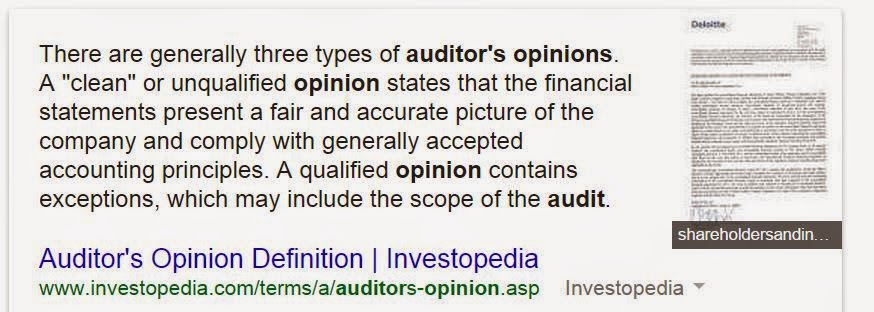
Essentially, the audit firm is vouching for the financial story that the client is communicating on an annual basis. It is akin to vouching someone in social circles and saying that he or she is a "good guy or gal".
The interesting thing is that amount "evidence" you have to present to backup your claim can change greatly depending on the context. Consider the following scenarios.
- He's good guy to hang out with: This is the lowest risk situation due to the low impact: if the guy is actually not good it's just one night wasted. Evidence required: pretty much your word.
- He's good guy to hire: Risk here is (your) reputation risk, if he actually is a bad employee then your reputation is tarnished. The risk on the employer is actually quite low - they can fire the guy if he's not good. Evidence required: Although ultimately it is still your word, as the employer will rely on you to know that your friend's resume is true from experience to protect your reputation.
- He's good guy to loan money to: now it gets interesting! Here your friend is going to impart cash to your friend based on your testimony. Evidence required: you will likely need to explain how he's paid you back, has a job or rich parents that can pay for him if he doesn't do so.
- He's good guy to do business with: Here your friend is not only going to impart cash to your friend based on your testimony, but share their work life with him and rely on him to actually do things. Evidence required: you will likely need to explain how he's reliable, hardworking, previous work experience, how much money he will invest in the business and need to prove these things somehow.
- He's good guy to live with: It's debatable whether more assurance is required in this context or the previous context. The thing with business is that you are tied in for the long run whereas most leases only go a year :). Evidence required: You need to have lived with them and provide first hand evidence about how clean there, easy to get along with and overall considerate.
I realize that this analogy is not perfect: purpose that the financial statements are issued are for the same decision and the risks of material misstatement or audit failure are the key drivers of work. However, it illustrates that the output - an opinion on an issue - remains consistent but the amount of work can vary greatly.
Thursday, February 12, 2015
Google's Mobile Carrier Move: A Big Data Play?
Google has decided to enter the mobile market. It has deals with Sprint and T-Mobile to operate as a mobile virtual network operator (MVNO), where they will rent the lines from these two carriers. As per the WSJ, there are no details on plans, coverage and other such details.
This is not the first time that Google has ventured beyond its traditional online offerings. A few years ago it began to offer super fast fiber internet and TV services to Kansas as well as other US cities. The move, like this one, attracted much attention because it was seen as something to alter the competitive landscape. However, moves like this shows that there is more to Google than a bunch of engineers who are just interested in building things like this:
Although some may dismiss this as a toy, it is actually an "exponential technology" that will shift fundamentally how society will function. But I digress and that is the subject of a different post.
Hearkening back to business strategy class and the infamous Porter 5 forces model, Google is cutting out a key area of risk: the last mile to the customer. By inserting itself as the mobile operator it ensures that it can deliver its services (e.g. Search, Gmail, Google Docs, etc.) and content (e.g. YouTube) straight to the customer without any interference from the Internet provider.Google could use a strategy like some Canadian cable TV providers, where they offer a streaming video service (E.g. Shomi) that does not count against the bandwidth.
But perhaps the hidden strategic objective is a big data play: what could Google do with the new data feeds? Sure they already get from being able to correlate the information it already gets from their Android devices. However, they will now be able to analyze this data with the additional data that moves through their MVNO network, such as demographic information and location data. What good is this to Google? In a word: advertising. Advertising is still the biggest source of Google's revenue and adding this pool of data to their reservoir can only add to the bottom line.
This is not the first time that Google has ventured beyond its traditional online offerings. A few years ago it began to offer super fast fiber internet and TV services to Kansas as well as other US cities. The move, like this one, attracted much attention because it was seen as something to alter the competitive landscape. However, moves like this shows that there is more to Google than a bunch of engineers who are just interested in building things like this:
Although some may dismiss this as a toy, it is actually an "exponential technology" that will shift fundamentally how society will function. But I digress and that is the subject of a different post.
Hearkening back to business strategy class and the infamous Porter 5 forces model, Google is cutting out a key area of risk: the last mile to the customer. By inserting itself as the mobile operator it ensures that it can deliver its services (e.g. Search, Gmail, Google Docs, etc.) and content (e.g. YouTube) straight to the customer without any interference from the Internet provider.Google could use a strategy like some Canadian cable TV providers, where they offer a streaming video service (E.g. Shomi) that does not count against the bandwidth.
But perhaps the hidden strategic objective is a big data play: what could Google do with the new data feeds? Sure they already get from being able to correlate the information it already gets from their Android devices. However, they will now be able to analyze this data with the additional data that moves through their MVNO network, such as demographic information and location data. What good is this to Google? In a word: advertising. Advertising is still the biggest source of Google's revenue and adding this pool of data to their reservoir can only add to the bottom line.
Friday, January 30, 2015
Is this the 80/20 of Security?
For the past 10 years or so, I have been teaching what has been considered the IT prep course for the major exam students right in Canada to get their CA designation. Now with the merger of the accounting designations in Canada, the revised CPA Competency has altered the focus on IT and reduced it. However, the upside of this, is now the course I teach can be more about what's useful from a practical perspective. In the past I taught security as a list of controls:

- Security Architecture/Boundary
- Policies and Standards
- Asset Classification & Management
- Risk Assessment
- Personnel Qualification & Trustworthiness
- Responsibility & Accountability
- Security Awareness
- User Access Management
- Physical Access Controls
- Network Access and Communication Control
- Logical Access Controls
- Intrusion Detection & Response
- Eliciting Compliance
- Monitoring & Learning
But I thought how do you think about security conceptually? So I thought about using the SysTrust definition of a system as the way to group the key InfoSec controls. Here's what I came up with:
What do you think?
Below are some notes from the deck that elaborates on the above.
Risk Assessment
- Key components of risk analysis? Risk = Impact X Likelihood
Governance
- Governance, responsibilities & accountabilities
- Develop security function
- “tone at the top”: CEO has ultimate responsibility
- CISO versus no CISO:
- Would you trust a bank without a CISO? How about a hotel?
- Board & Management
- Security integral part of IT governance
- Funding security function
- Average 6 to 7% of the IT Budget
- Manage security risk that emanates from relationships with third parties
- Policies & standards
- Policies and standards:
- Serious about security: take steps needed
- Consult ISO 27001/2, etc.
- Have a methodology, define risk appetite, etc.
- Manufacturing versus cloud computing provider
- Other
- Define security roles
- Define security responsibilities for everybody
- Role for internal audit
People
- Background Checks
- Human resource procedures to verify background work history of new hires.
- Check qualifications
- Employees first line and last line of defense
- E.g. Insider threat
- Incentives: fire bottom 20% = problem?
- Acceptable Use Policy
- Acceptable Use Policy
- Provides limits as to how computing facilities can be used, e.g. LAN, laptops, PDAs, etc
- Level personal of use
- Controls:
- Awareness/Orientation training/Sign statement
- Block sites (hotmail, gmail, facebook, etc)
- Monitor usage
- Security Awareness & Training
- New employee training
- Need to communicate policies and standards to employees, customers (e.g. online banking), suppliers, service providers (e.g. SLA), etc
- Marketing Security: Remind employees regularly
- Provide easy access to policies
- Policies need to be properly worded (should vs must)
- Workshops/Tutorials on security: e.g. encrypting USB
- Awareness posters, screensavers
- Automate security
- Termination
- Terminate all access upon on letting an employee go
- Must make part of HR processes
Data
- Asset Classification
- Data Classification
- Sensitivity: impact of unauthorized disclosure; privacy, confidentiality
- Public, internal, confidential, highly confidential
- Inventory & Asset Management (Data > Devices)
- Devices and information held; incl. outsourced entities
- Classification drives who can access and modify the information
- Cost-benefit analysis: encrypt what needs to be encrypted
- Monitor access to sensitive systems, files, databases,
- Encryption
- Used to prevent data alteration, unauthorized viewing, verify authenticity
- Depend on mathematical algorithms to transform data,
- "Key" is the data that is that is used to make an encryption or decryption unique
- Rely on mathematical algorithms
- private key system - receiver must know what key is used to encipher message. Such keys must be protected
- public key system - use 2 keys
- encipher is made public
- different key used to decipher
- Encryption Standards
- Algorithm + Key
- DES, AES: Private Key (symmetric) Algorithms
- RSA: Public Key Algorithm
- PGP: Open source equivalent of RSA
- 128, 256 bit technology (length of key - longer keys are harder to break with brute force methods)
- In a good approach, the security should be in knowledge of the key, not the encryption algorithm
- Wireless: WEP is no good, use WPA, e.g. TJX
- Data Retention and Disposal Policy
- Data should be retained based on reg/stat/oper
- If retain longer than required could be breached
- Data should be destroyed after its no longer needed
- Secure overwriting, degaussing, (not formatting!)
- Physical destruction (e.g. incineration, shred, etc)
- Integrate into asset disposal/sale process
Infrastructure
- Network: Firewall
- Firewall
- “Filters” traffic from inside to outside & outside to in
- Permits traffic based configuration
- Protected against tampering
- Packet filter
- Intrusion Detection/Prevention
- Intrusion Detection System (IDS)
- Firewall: Permit/Blocks, IDS Analyzes activity
- Analyzes user activity: threat score
- Sends alerts to security admin: problem with false positives - may dismiss actual threat
- IPS can log off users
- IDS: Can it detect encrypted attacks?
- Link to SDLC?
- Physical access controls
- Safeguard against physical abuse, damage and destruction.
- Isolation and restriction - use locks, effective key management, video, sensing devices
- Tailgating: Man-trap, awareness
- Locations of Systems: away from fire water sources (e.g. kitchen)
- Hardening
- Physical Access Control Considerations
- Cost
- Number of Type I (False negative) and Type II (False positive)
- Average response time
- Ability to manage multiple users
- Satisfy ergonomic issues (E.g. retinal scan is quite invasive)
- Virtual Private Network (VPN)
- Virtual Private Network
- Encrypted/authenticated access to the network,
- Modem lines create problems
- Callback modems: modem will call back a pre-specified number
Software
- Access management
- What are the trade offs?
- Access management
- Privilege management
- Log and review this type of access
- Enables Segregation of duties
- Separate user and information system roles, separate within information system group
- Development and data entry
- Separate within user role as to incompatible functions
- initiation and authorization of transactions, recording of transactions, custody of assets, and reconciliation
- Logical Access Controls
- User ID:
- Linked to name, mdatardina@deloitte.ca
- Based on job: Accountspayable@xyz.com
- No association: User12@xyz.com Problem?
- Logical Access Controls
- Authentication - user is who says he/she is
- Passwords:
- Random vs user generated
- Rule based: What are the rules?
- Phrases: Cat jumped over the lazy dog in Sarnia Cjotldis1
- Plastic magnetic-strip cards
- Example?
- Smart cards
- Example?
- Biometric devices - fingerprints, hand geometry, eye retina patterns; consider Type I/Type II
- Access control software- allows controlled access - locks out illegitimate users, e.g. Active Directory for Windows
- Increased use of single-sign-on: authenticate once across multiple platforms
- Pro: ease-of-access
- Con: break one password, can break into multiple systems
- Could also use profile management
- Allocate standard access privileges to users based on their group, rather than individual basis, e.g. AP clerk can access AP, network, office suite, etc
- Reduces admin costs and allows easier access and rule setting
- Anti-Virus Controls
- Anti-virus software
- Installed and configured properly
- Update regularly
- Won’t help against zero day
- Ensure automated scans are scheduled.
- Scan network
- Scan desktop
- Run at sign-on
Author: Malik Datardina, CPA, CA, CISA. Malik works at Auvenir as a GRC Strategist that is working to transform the engagement experience for accounting firms and their clients. The opinions expressed here do not necessarily represent UWCISA, UW, Auvenir (or its affiliates), CPA Canada or anyone else.
Friday, January 23, 2015
Windows 10: Microsoft Strategic Plays hidden in its free OS upgrade!
In a previous post, we posted the integration of Cortana into the upcoming release of Windows 10. Well, the excitement continues - Joe Belfiore walks us through a number of features:
This includes:
This includes:
- Continuum: Not only is the start menu back, but the start menu adjusts for desktop mode and (touch) tablet mode.
- Cortana: He confirms what we saw last time, but he couldn't risk a dig at Siri. But to be fair, Cortana has more of the "virtual digital assistant" features which incorporate artificial intelligence and machine learning to, as he shows, book appointments and reminders.
- Built-in Apps: Microsoft is offering calendar, photo, maps, video, mail and xbox apps.
Although these key features are exciting, the bigger deal is how Microsoft is working to recapture market share from its competitors.
- Free upgrade if you have Win7, 8, or 8.1! Yes, that's right for a year people upgrade for free to W10! This obviously good news for consumers. However, it appears that businesses can also upgrade which could be the real benefit: Microsoft effectively is facilitating the move to the next version thereby reducing the risk that companies will stick with an OS for decade (i.e. like they did with XP). The free upgrade also will go a long way to build bridges with customers who were unhappy with start menu disappearing in Win 8.
- Windows Phone and XBox integration: The apps mentioned work across devices. Although it is not clear, it appears that to get the most out of the W10 features, you need to get a W10 phone. Although this seems like a long shot, it shows that Microsoft is not giving up anytime soon on the mobile phone space. XBox integration enables Microsoft to further capture space within the living room entertainment space, competing with the likes of Roku, Apple TV and the Google Chromecast.
- Bringing social to the web browser: Losing market share to Google Chrome over the past few years, Microsoft appears to be striking back with Project Spartan, The browser offers enhanced usability features (tabs, reading,etc), but also has a a productivity play where users can annotate websites and then share their annotations via social apps.
The new Windows 10 looks pretty amazing and now that it's free I really can't wait to try it!
Subscribe to:
Posts (Atom)